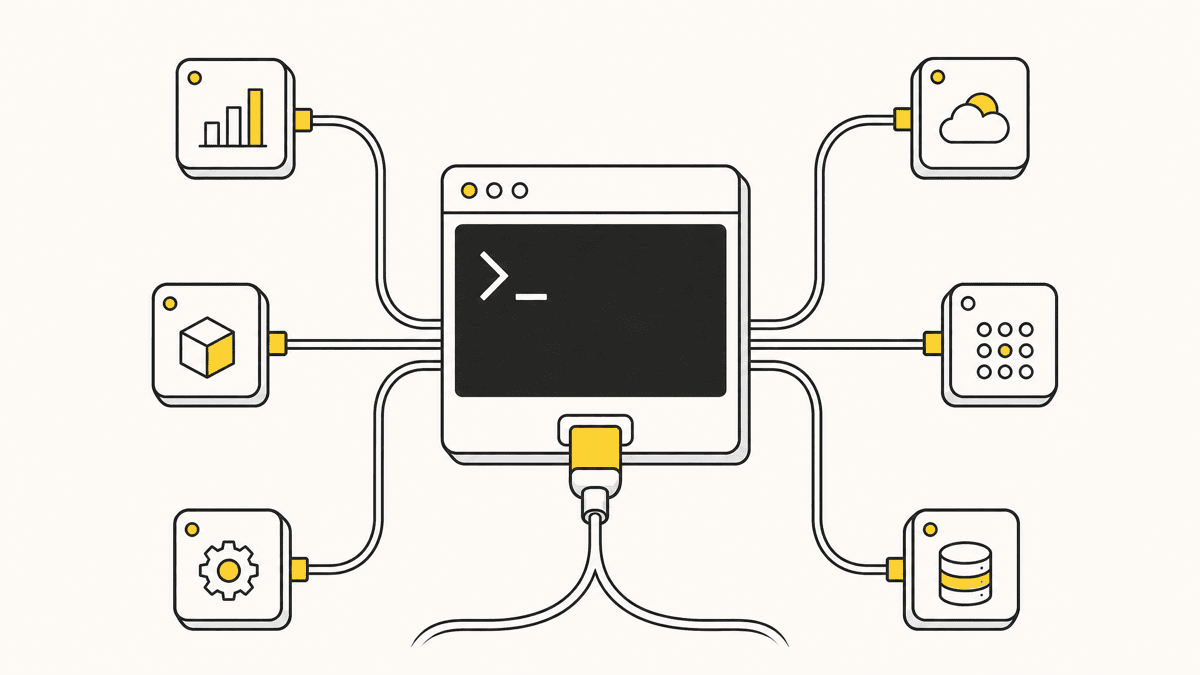
Playwright MCP gives Claude Code something it doesn't have on its own: the ability to actually drive a browser, click, fill forms, navigate, and read the page back as structured data instead of guessing from a screenshot. It's maintained by Microsoft, built on Playwright's existing automation engine, and it's the standard first browser server most Claude Code setups add. This is how to wire it up, what it actually changes about how the agent works, one token-cost detail worth knowing before you commit to it, and the specific gap it leaves that a browser-control server structurally can't close.
What Playwright MCP actually does
Claude Code, on its own, reads and writes files and runs shell commands. It has no way to open a browser, load a page, and see what renders. Playwright MCP fixes exactly that: once it's connected, Claude Code can navigate to a URL, click an element, fill a form, and get the page back as a structured accessibility snapshot, the actual DOM structure, roles, and labels, not a picture it has to visually interpret. Each interactive element in that snapshot comes back with a unique reference the agent can target directly.
That distinction matters more than it sounds. A screenshot is pixels; an accessibility snapshot is data the agent can reason over directly, "click the button labeled Submit" resolves to a real element instead of the agent trying to locate coordinates in an image. It's why Playwright MCP's element targeting is reliable in a way that screen-scraping approaches generally aren't, it's built on Playwright's own engine, the same one powering a huge share of automated browser testing already in production, with cross-browser support for Chromium, Firefox, WebKit, and Edge.

Setting it up
Add it the same way you'd add any MCP server to Claude Code, with claude mcp add:
claude mcp add playwright npx @playwright/mcp@latest
If you haven't set up an MCP server in Claude Code before, the scopes, config file, and how to verify a server is actually live are covered step by step in how to add MCP servers to Claude Code. The short version for Playwright specifically: user scope (the default for a browser-control tool you want available regardless of which repo you're in) is usually the right call, since you're not shipping browser-driving credentials to teammates the way you might with a shared database server.
Once it's connected, you can ask Claude Code to do things like "open the signup page, fill in a test email, and confirm the success message renders" and it will actually do that, navigate, interact, read the result, in a real browser session it controls, headless by default or headed if you want to watch.
Headless vs. headed, and when to use which
Headless is the right default for most sessions, faster, no window stealing focus while you keep working, and it's what Claude Code uses unless you tell it otherwise. Switch to headed mode when you're debugging a flow that isn't behaving the way you expect, watching the actual browser window makes it obvious whether the agent is clicking the wrong element, hitting a popup it doesn't know how to dismiss, or waiting on a selector that never appears. You can ask Claude Code directly to "run this headed so I can watch," and it'll launch a visible window for that session rather than running in the background.
The token cost worth knowing about
Here's a detail that's easy to miss until your context fills up faster than expected: Playwright MCP exposes 40-plus tools (navigation, forms, network interception, storage, tracing, video, and more), and every one of those tool definitions consumes context tokens on every request, before the agent has done anything. A single accessibility snapshot is relatively lean, on the order of a few hundred tokens, but the standing cost of the full toolset is real. Microsoft itself acknowledged this in 2026 by recommending its Playwright CLI over the MCP server for coding agents in some workflows, on the grounds that the CLI path can use meaningfully fewer tokens per session for the same browser work. The practical takeaway isn't "don't use the MCP server", it's a genuinely convenient way to give the agent a browser, just be aware that on a project already running several MCP servers, Playwright's tool count is one of the bigger contributors to the ~40-active-tool ceiling that agents like Cursor hit, covered from the config side in Cursor MCP servers. If you're not actively using browser control in a given session, it's worth disabling rather than leaving it connected by default.
What this changes about how you work
The practical shift is that Claude Code stops needing you to be the one who clicks through the flow after every change. Ask it to verify a form submission end to end, check that a redirect lands on the right page, or confirm an element exists after a state change, and it can check its own work instead of reporting "the build passed" and leaving verification to you. For anything with a clear, scriptable pass/fail, form validation, navigation flows, whether an element is present after an action, this closes a real gap between "the code compiled" and "the feature works."
Where it stops
Here's the boundary, and it's worth being precise about it because it's easy to assume browser control means the agent can now "see" the page the way a person does. It can't, not in the sense that matters for design and UX review.
Playwright MCP reads structure: DOM nodes, accessibility labels, whether an element exists and is interactable. It does not evaluate whether the page looks right. It won't notice that a modal is centered on desktop but clipped on a 375px viewport, that a button's hover state is visually broken because a sibling element intercepts the pointer event, or that a form technically submits but the confirmation text is the same color as its background and effectively invisible. None of that shows up in an accessibility tree. All of it is immediately obvious to a person looking at the rendered page.
This is also true of automated visual regression tools built on top of Playwright, pixel-diffing catches unintended changes but still needs a human to judge whether a diff is a real problem or an acceptable one. Even Playwright's own toMatchAriaSnapshot assertion, which captures the accessibility tree as YAML and is resilient to styling changes, is by design blind to styling, that resilience is the whole point, and it's exactly why it can't catch a styling regression. Playwright MCP drives and inspects the browser on the agent's own initiative, checking things it was told to check. It doesn't replace the judgment call of a person looking at a live page and noticing something nobody thought to write a check for.

The piece that fills the gap
This is exactly the boundary a visual-feedback layer sits on the other side of. Instead of the agent checking what it was told to verify, a person, a client, a teammate, drops a pin on the actual element that looks wrong, on the live rendered page. That pin carries the CSS selector, the viewport it was left at, and often the console output at that moment, a set of coordinates Claude Code can act on directly, the same way it acts on a Playwright accessibility snapshot, except this one originates from a human noticing something automated checks structurally can't catch.
The two aren't competing tools, they're doing different jobs in the same loop. Playwright MCP is the agent verifying its own scripted checks; a feedback server like Shotline's is the agent picking up what a person actually noticed. Plenty of setups run both: Playwright MCP for the automated pass the agent runs on its own initiative, Shotline for the review pass that catches what no automated check was written to look for. If you want the fuller list of what else is worth adding alongside Playwright, the best MCP servers for Claude Code covers the rest of a practical starting stack.
A realistic combined workflow
A shape that works well in practice: after Claude Code makes a change, ask it to run a Playwright pass covering the obvious scripted checks, does the page load without a console error, does the form submit, does the expected element appear after the interaction. That catches structural regressions fast, before anything reaches a person. Then, once the change is deployed to a preview or staging URL, a client or teammate reviews the actual rendered result and pins anything that looks wrong, spacing, contrast, a state that's technically working but reads as broken to a real user. Claude Code picks that feedback up in the same session, same MCP pattern, different server. Neither pass replaces the other, and running only one leaves a predictable category of bug uncaught: skip the Playwright pass and you catch design issues but keep shipping broken forms; skip the human review pass and you catch broken forms but keep shipping pages nobody would actually want to use.
A quick sanity check before you trust a selector
Whether a selector comes from Playwright's own snapshot or from a pin a client left on the page, it's worth verifying it actually matches what you think it matches before an agent acts on it, especially on a page with deeply nested or reused class names. The CSS selector tester runs a real match against pasted HTML in your browser, no setup, and it's the fastest way to confirm a selector is scoped to the one element you mean, not three siblings that happen to share a class.
Shotline connects to Claude Code the same way Playwright MCP does, one MCP server add, then it's live: 21 tools, free on every plan, connect it here and give your agent the review pass that browser control alone doesn't cover. Free for 14 days, no card required, then from $19/mo (billed annually; $25 month-to-month).